ragentreshape

Real estate image prompts for GPT Image

1,179 prompts in this category — 36 masters, 1,143 variations.

These prompts make listing and marketing images in GPT Image: virtual staging of empty rooms, twilight exteriors from daytime photos, sky and lawn fixes, headshot backgrounds, and ad creative. Each prompt starts from your own photo and tells GPT Image exactly what to change and what to leave alone.

Agents use them when a listing goes live with empty rooms, when the photos were shot on a grey day, and when an ad needs a clean visual fast. Variations cover room, style, time of day and season. Label edited photos as virtually staged or enhanced wherever your MLS requires it.

In GPT Image: attach the photo in ChatGPT and select only the area to change — the empty floor, the sky, the lawn — so the rest stays as shot. On full-image edits it can shift proportions, so compare against the original before you use it. It's strong on clean marketing graphics with text, like an open-house flyer built from your listing photo.

Free prompt 1 Works with GPT Image

Team photo from each member's individual photo

Combines separate photos of each team member into one consistent group photo, every face kept exactly as it is.

Prompt
Subject: @image1 (the first photo I attached) and @image2 (the second) are photos of the two people on our team, one photo each. Create one group photo of our real estate team. Keep each person exactly as in their own photo: face, features, skin tone, age, build, height relative to the others ([Heights] if given) and hairline, each instantly recognizable. Natural, lightly retouched skin as a professional photographer would deliver, with no wrinkles, pores or blemishes beyond those in each person's own photo; no slimming or de-aging. Outfits: [Dress_Code] if given, otherwise each person's outfit from their photo.

Scene: A seamless studio backdrop in soft gray. Arrange us side by side, shoulders slightly angled toward each other, about the same distance from the camera. Everyone faces the camera with a natural, friendly expression, at true relative scale.

Light: Even studio light across everyone, soft key and fill, no one in shadow. The same light direction and color on every person, so it reads as one photo, not a collage.

Camera: Eye-level group framing with a little space around the group, 50mm lens look, everyone in focus.

Style: Professional corporate team photography, natural color.

Exclude: any change to anyone's face, features, skin tone, age, build or hairline, beauty filters, plastic-looking skin, extra or distorted fingers, added text, letters, labels, logos or watermarks, extra people, missing people, duplicated faces, mismatched lighting between people.
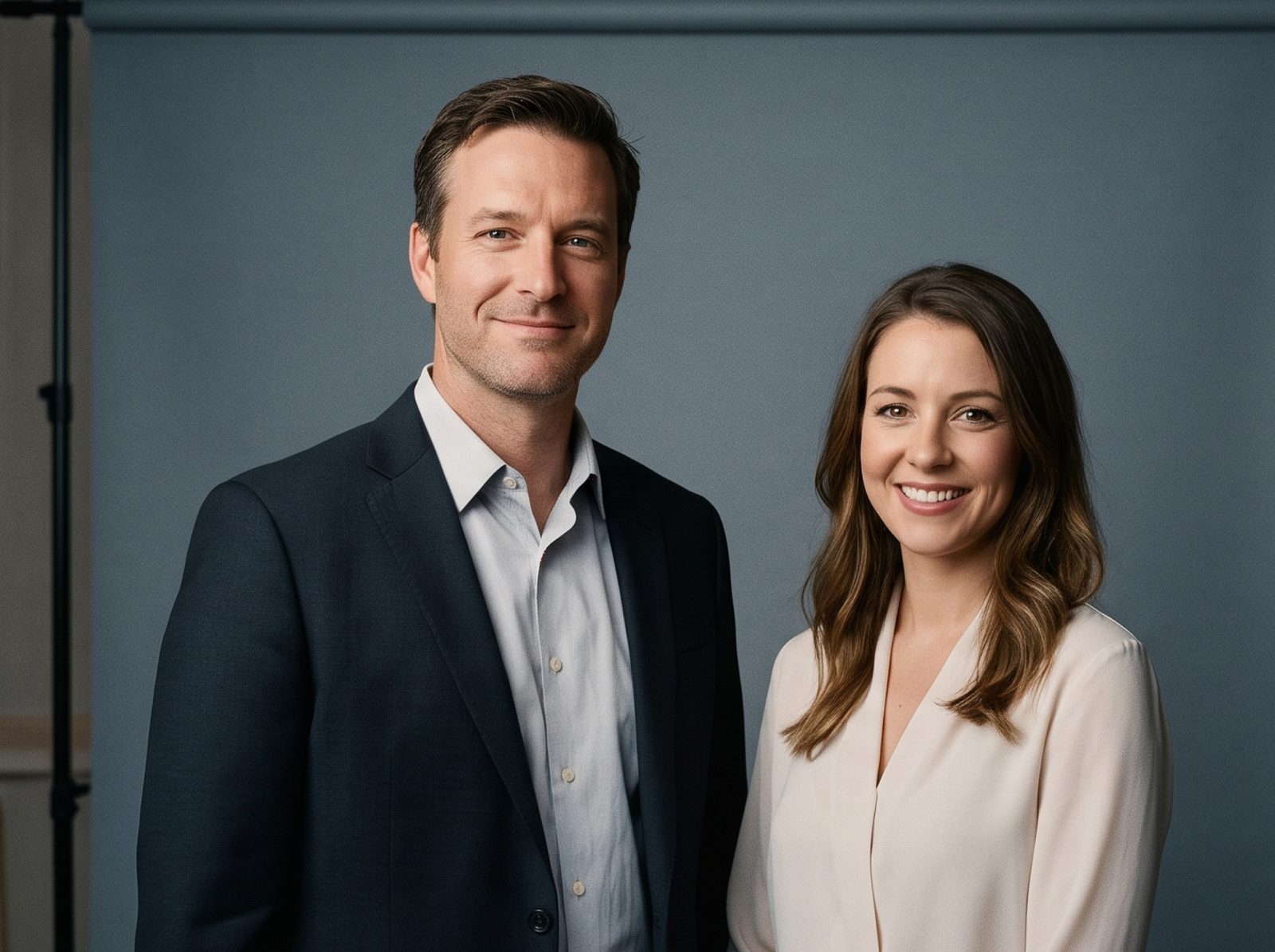
Team photo from each member's individual photo
Example result

How to use: Replace each highlighted [bracket] with your details, then paste the prompt into GPT Image. Upload all the photos in one message, in the order the prompt numbers them, then paste the prompt. Fix one thing per follow-up message. Works best with 2 to 4 people; for larger teams, generate pairs and combine them in Canva, or book a real group shoot. Before publishing: get each team member's OK before publishing a generated photo of them.

There are 23 more versions of this prompt inside — by setting and team size. See what's included ↓

Free prompt 2 Works with GPT Image

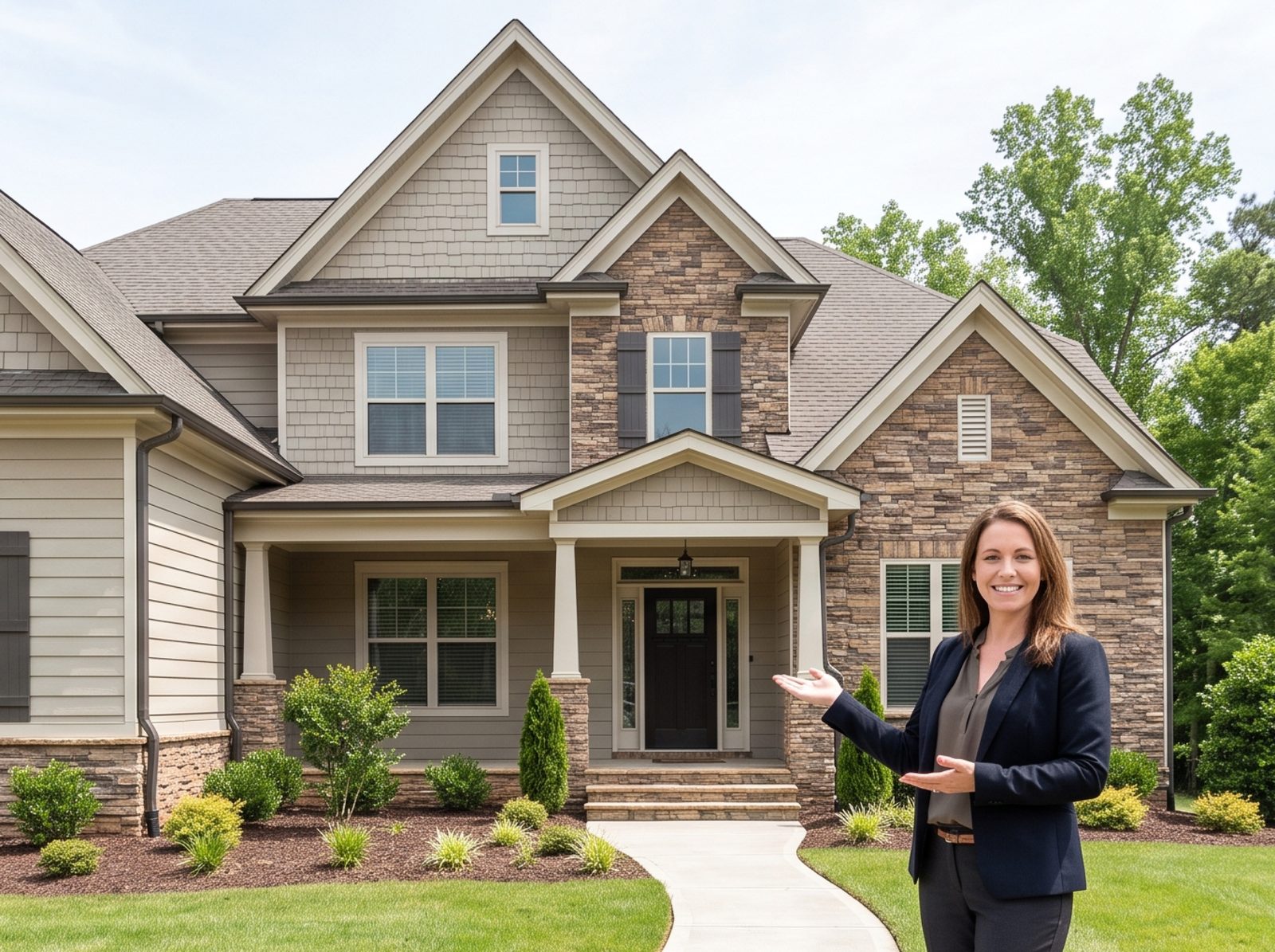
Photo of you at your new listing for a just-listed post

Places you naturally into your own listing photo for a social post, the home left exactly as shot. Never for the MLS.

Prompt
Subject: @image1 (the first photo I attached) is my listing photo of the home. @image2 (the second photo I attached) is a photo of me, the listing agent. Place me into @image1 for a just-listed social post. Keep me exactly as in @image2: the same face, features, skin tone, age, build and hairline, instantly recognizable to anyone who knows me. Natural, lightly retouched skin as a professional photographer would deliver; no wrinkles, pores or blemishes beyond those in @image2. Never slim, reshape, de-age or change eye or hair color. Pose: a relaxed, open-hand gesture toward the home, smiling at the camera. Outfit: the one from @image2.

Scene: Place me on the front walkway, off to one side so the front door stays visible. I am at true human scale for the home and stand on the ground with a natural contact shadow. Keep every permanent feature exactly as in @image1: walls, windows, doors, floors, ceilings, fixtures, built-ins, the view and the lot. Never hide defects or add features the property does not have.

Light: Light me with the same light as @image1: the same sun or window direction, color temperature and shadow softness, so I look photographed there.

Camera: Keep the camera position, perspective and framing of @image1 exactly.

Style: Natural real-estate lifestyle photography, believable as one photo taken on site.

Exclude: any change to my face, features, skin tone, age, build or hairline, beauty filters, plastic-looking skin, extra or distorted fingers, added text, letters, labels, logos or watermarks (existing signs, house numbers and labels stay exactly as in @image1), other people, any change to the home, furniture, landscaping or sky.
Photo of you at your new listing for a just-listed post
Example result

How to use: Replace each highlighted [bracket] with your details, then paste the prompt into GPT Image. Upload all the photos in one message, in the order the prompt numbers them, then paste the prompt. Fix one thing per follow-up message. Choose a closer exterior shot for better likeness. GPT Image redraws the whole photo: compare it with the original edge to edge before using it. Before publishing: use this for social posts and your website only; MLS and portal listing photos stay free of people. Label this photo "Digitally altered" on or next to the image, and show the original photo right before or after it (or link to it). California law (AB 723) and many MLSs require this for listing photos and for ads and social posts that show them.

Free prompt 3 Works with GPT Image

Personal-brand lifestyle photo of you at work

Puts you in a natural working scene (coffee shop, office, park, a showing) for posts and your website, your look kept exactly.

Prompt
Subject: @image1 is a photo of me, a real estate agent. Create a candid personal-brand photo of me. Keep me exactly as in @image1: the same face, features, skin tone, age, build and hairline, instantly recognizable to anyone who knows me. Natural, lightly retouched skin as a professional photographer would deliver; no wrinkles, pores or blemishes beyond those in @image1. Never slim, reshape, de-age or change eye or hair color. Outfit: keep my outfit from @image1 unless I describe one here: [Outfit_Description]. I am working on a laptop, looking at the screen with a focused, easy expression. The screen faces away from the camera.

Scene: A bright, independent-style coffee shop with wood tables and plants, no readable signs or logos on cups. No other people, or at most one or two distant, out-of-focus figures seen from behind.

Light: Natural, soft daylight that suits the setting, flattering but true to my real skin tone.

Camera: A candid, documentary-style frame from a little off-center, 35mm to 50mm lens look, moderate depth of field. Leave some open space on one side for text if I use it as a post.

Style: Editorial lifestyle photography, natural color, unposed feel, believable as a real photo session.

Exclude: any change to my face, features, skin tone, age, build or hairline, beauty filters, plastic-looking skin, extra or distorted fingers, added text, letters, labels, logos or watermarks, readable screens, brand logos, other identifiable people.
Personal-brand lifestyle photo of you at work
Example result

How to use: Replace each highlighted [bracket] with your details, then paste the prompt into GPT Image. Upload your photo and ask for an edit of that photo, not a new image, so your face stays yours. Fix one thing per follow-up message.

You've seen 3 of 1,179.

The other 1,176 — including 91 variations of the prompts above — are inside the library.

  • Locked: Two-person team photo, brand-color setting

  • Locked: Agent at the listing: front walkway, with keys

  • Locked: Lifestyle brand photo: coffee shop, on a call

  • Locked: Two-person team photo, office setting

  • Locked: Agent at the listing: front walkway, standing

  • Locked: Lifestyle brand photo: coffee shop, walking

  • + 1,170 more in AI visuals

Get all 10,000 prompts. $39. Once.

Every prompt for GPT Image and every other major AI tool — Claude, ChatGPT, Gemini, Nano Banana Pro, Seedance, Kling, Wan — with every variation and every city-specific version. Pay one time, keep it forever.

  • 10,000 prompts, organized by what you're actually doing: listings, Reels and TikTok scripts, email campaigns, cold outreach, follow-ups, GEO, AI visuals and video
  • 1,179 in AI visuals alone — you've seen 3
  • City-specific versions for GEO, farming and market updates
  • 12 eBooks included, among them Claude for Realtors Ultimate Guide, The Instagram Leads Machine and Canva for Realtors Ultimate Guide
  • Lifetime access — every prompt we add later is yours at no extra cost
  • Instant access after checkout, no account needed first

One-time payment. No subscription, ever. That's under half a cent per prompt.

Optional: add the Brand Voice Kit (+$17) — it rewrites every prompt in your own voice.

Questions

Can I use AI-staged photos on the MLS?

Most MLSs allow virtually staged photos if they are labeled as such and the room is not misrepresented. Check your MLS rules before you upload.

Do I need my own photos?

Yes. These prompts edit a photo you upload to GPT Image; they keep the room, windows and layout and change only what the prompt says.

Which tool gives better results?

Both handle staging and exteriors well. Each prompt includes a short tip for running it in GPT Image.

What else is in the full library?

Every image prompt by room, style, time of day and season, plus video prompts for Kling, Wan and Seedance, all the text prompts, and the eBooks.